Personal Details
Add name, date of birth, time of birth, place of birth, height, religion, and more.
Marriage biodata maker · free to start
Add your details, choose a design, and download a clean, print-ready marriage biodata PDF.
Also called a shaadi biodata format or शादी बायोडाटा — the same document, whatever your family calls it.
Designs
Select a clean and elegant biodata design for your family and match-making needs. Every design works with or without a photo.
Upload it and we will read the details out — name, contact, jobs, education, skills — and show you what we found before anything is saved. It takes about a minute, against twenty spent retyping.
PDF or Word, up to 5MB. Free on every plan. The file is read and discarded.
 Free
Free
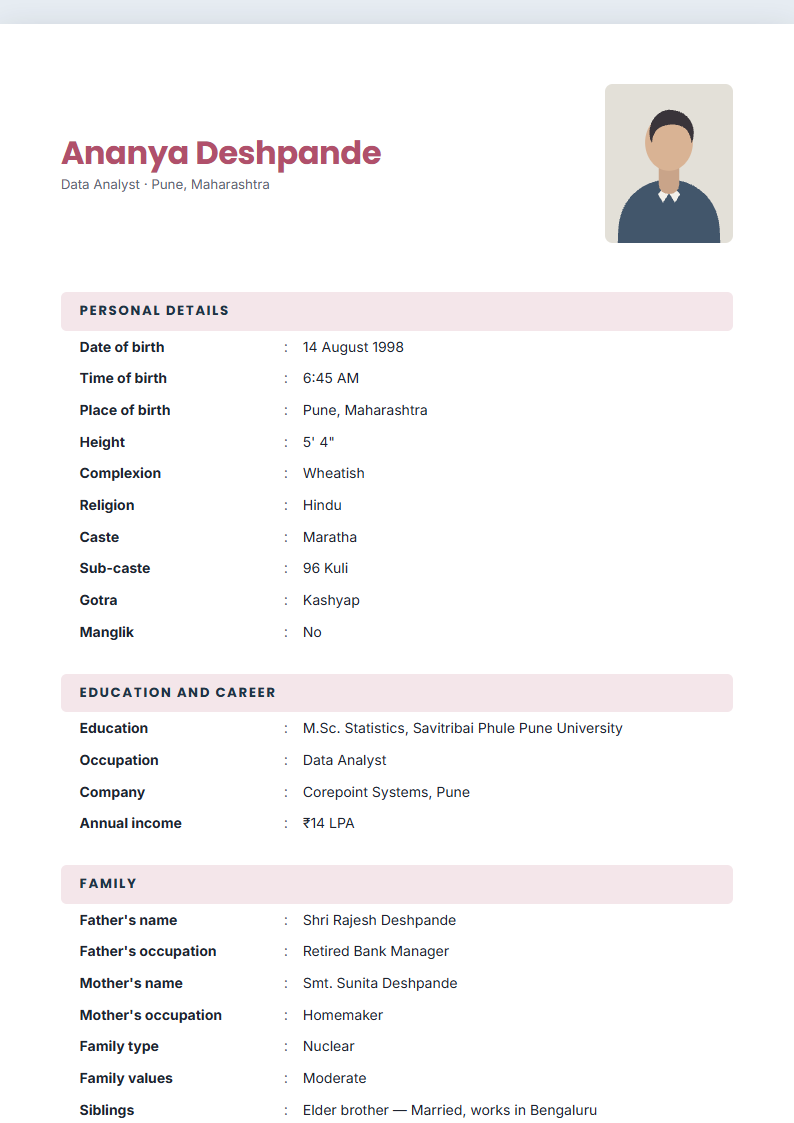 Free
Free
 Pro
Pro
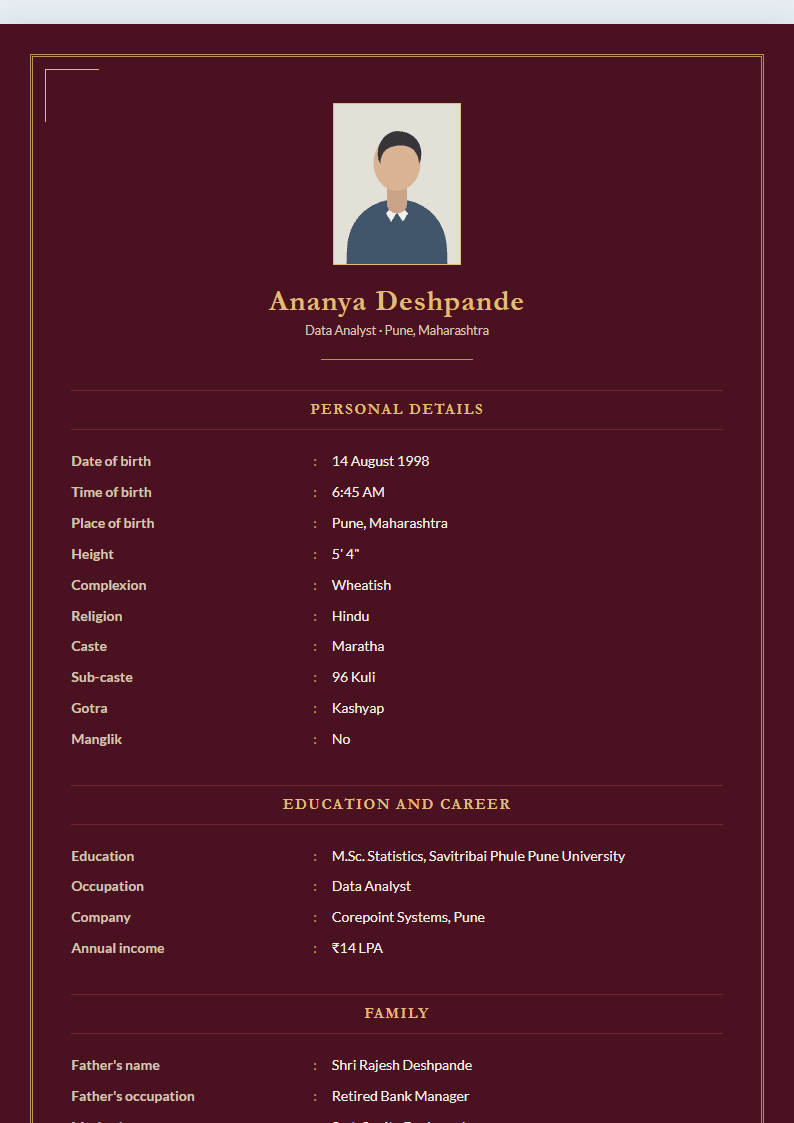 Pro
Pro
No design carries this tag yet — .
How it works
Features
Add name, date of birth, time of birth, place of birth, height, religion, and more.
Add a profile photo to your biodata.
Add parents’ names, family background, siblings, and other important details.
Show education, job, business, income, and location details.
Add phone, email, and preferred contact information.
Download a clean, print-ready biodata PDF.
Add only the details you are comfortable sharing. Your biodata is created for your personal use and can be downloaded as a PDF.
Premium
The free designs and the editor are free for good. A paid plan adds the rest.
Premium biodata designs
Emerald Gold and Royal Maroon.
Custom colours
Match the biodata to your family’s choice of colour.
More downloads
Starter raises the monthly limit; Pro removes it.
Custom fonts and spacing
Fine control over type and layout. Pro.
FAQ
Yes. You can start creating your biodata for free. The free plan includes 3 PDF downloads a month across all your documents, with no watermark.
Yes. You can add a profile photo to your biodata. It is optional — every design also works without one.
Yes. You can download a print-ready PDF, on A4.
Yes. Choose from simple, traditional, and modern biodata designs, and switch between them at any time without retyping anything.
No. Every field is optional and an empty one is simply left off the page — no blank rows, no dashes. Fill in what your family shares and leave the rest.
Yes, and it is off by default. The invocation is a setting with several options including none, because the format is used across religions.
Yes. If you have built a resume on JobFolio, “Import from resume” brings across your name, photo, education, occupation and contact details.
Choose a design, add your details, and download a beautiful PDF biodata.